

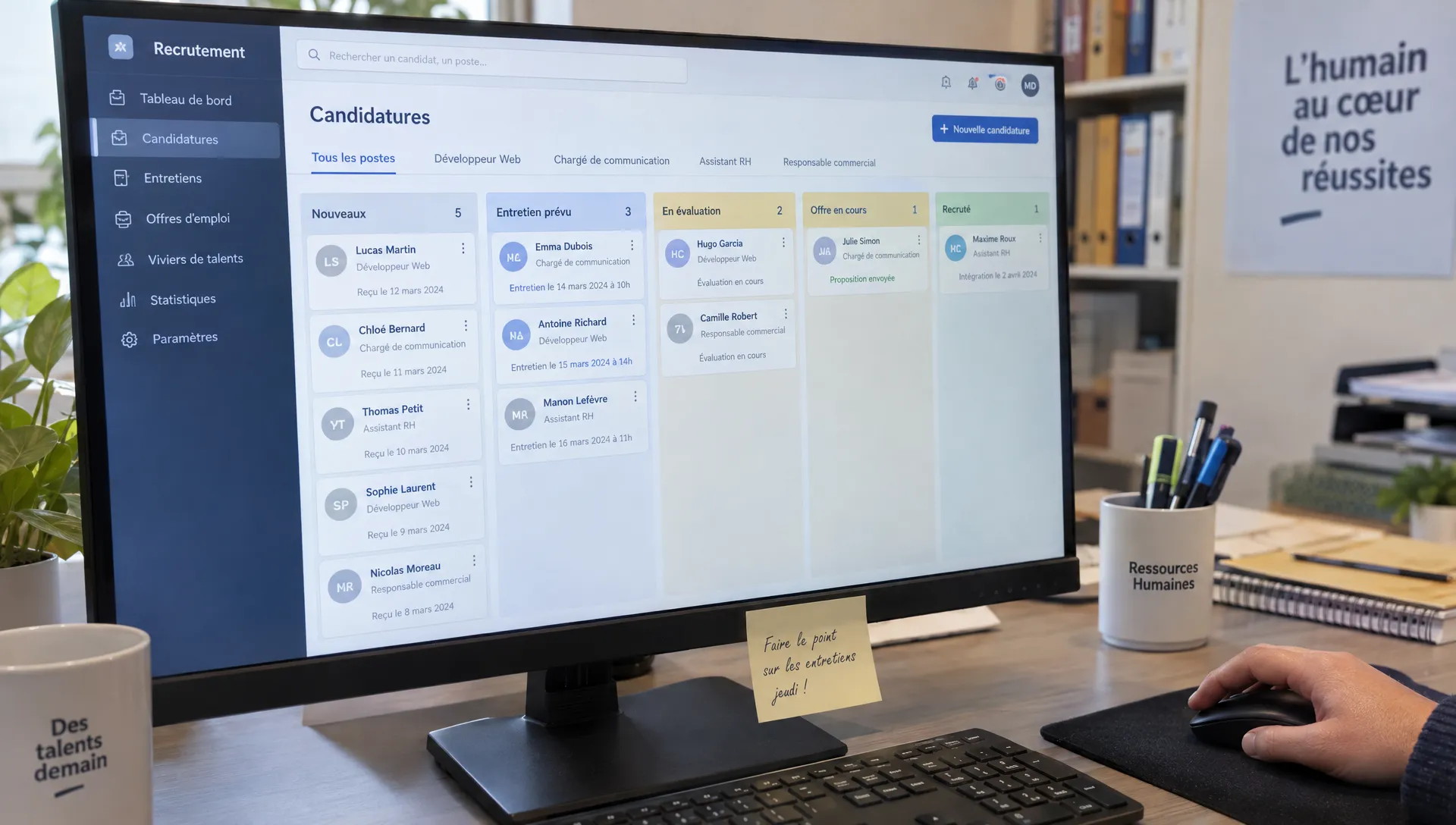
Which recruitment tool should an SME choose?
The right recruitment tool for an SME is not necessarily the one with the most features. It is the one that solves your main problem: attracting relevant applications, reducing time spent shortlisting or enabling managers to track recruitment without endless email exchanges.
To make your choice, start with your actual recruitment needs, then compare solutions against a few verifiable criteria. A small business that hires occasionally does not have the same needs as a multisite SME that recruits regularly. Here are the differences between the main software categories, four solutions to consider and a method for choosing between them before you commit.
ATS, matching platform or HRIS: what do you need?
Not all HR software meets the same need. A job site provides visibility, an ATS organises applications and a matching platform helps match profiles to a position. These functions can also coexist in a single solution.
| Solution category | Main function | Prioritise if… |
|---|---|---|
| Job site or job board | Post vacancies and receive applications | Your main difficulty is reaching candidates |
| ATS, applicant tracking system | Centralise candidate records and track recruitment stages | CVs, feedback and follow-ups are scattered |
| Matching platform | Match job requirements with profile characteristics | You want to structure shortlisting more effectively |
| HRIS with a recruitment module | Connect recruitment to a range of HR processes | You also want to manage other HR activities in the same environment |
These categories are not mutually exclusive. An ATS can include matching and multi-channel job posting. Conversely, a skills-focused platform can also offer interview tracking.
Your recruitment tool should therefore be chosen based on what it enables you to do, not just its commercial label. If you already receive enough applications but spend too much time processing them, adding posting channels will not solve the problem.
First identify the bottleneck: job advert visibility, profile relevance, decision-making coordination or candidate follow-up. This priority will guide your demonstrations.
Criteria for choosing a recruitment tool suited to an SME
Easy for managers to learn
In an SME, recruitment often involves several people for whom it is not a primary responsibility. The software must be usable by a business owner, an operational manager and an HR professional without disproportionate training.
During the demonstration, ask a future user to find an application, leave feedback and identify the next action. Also check access permissions: a manager should be able to view relevant records without accessing all company data.
A pleasant interface is not enough. The real test is whether the team can work with fewer emails and without maintaining a separate spreadsheet.
Shortlisting based on explicit criteria
Before automating screening, distinguish between essential skills, those that can be learned and constraints genuinely related to the role. A driving licence, a certification or availability can be decisive in some jobs, but not in all.
A recruitment tool becomes useful when it makes these criteria clearer and helps apply them consistently. Ask how any scores are calculated, what information feeds into them and whether you can adjust the settings.
For behavioural aspects, favour observable expectations, such as the ability to explain a problem to a customer. A vague search for a “compatible personality” is more likely to favour profiles that resemble the existing team.
Managed data exchanges and contract exit
List your existing software: email, calendar, careers site and any HRIS. Then check which connections are actually available, how they work and what they cost. An advertised integration does not necessarily mean that all data flows in both directions.
Also ask what you will be able to export when leaving the service: CVs, contact details, stage history and comments, subject to applicable permissions and retention periods.
Finally, look at the quality of support. Who configures the initial stages? How can you get help when a manager encounters a problem? For a small team, these answers matter as much as an additional feature.
Four solutions to compare according to your priority
This selection is a starting point, not a universal ranking. The scope of the offers, options and contractual terms should be checked directly with each provider.
To compare each recruitment tool, present the same role and work scenario to the sales representatives. You can then compare concrete answers rather than demonstrations prepared around different needs.
| Solution | Positioning to consider | Decisive question during the demonstration |
|---|---|---|
| Koann | Matching based on skills and mindset, with recruitment management | How do the job criteria and profiles contribute to the proposed match? |
| Taleez | ATS to centralise applications and organise recruiters’ work | Can managers easily track candidate records and provide feedback? |
| Flatchr | Recruitment solution combining job posting and application tracking, among other features | Which channels are available and which incur additional fees? |
| Beetween | ATS to structure recruitment processes and tracking | How much configuration is needed to replicate your way of working? |
Koann is particularly worth considering if your priority is shortlisting based on skills and behavioural aspects. The platform offers skills and personality profiles, matching scores, AI-powered job advert optimisation, multi-channel posting and interview and feedback tracking.
These features should be assessed against your roles. For a technical position, check the emphasis placed on essential skills. For a customer-facing role, look at how behavioural expectations are defined and discussed during interviews.
What budget should you plan beyond the subscription?
The advertised price is not enough to compare solutions. Request a quote for the same period and scope, for example twelve months with your users and projected hiring volume.
The total cost of a recruitment tool can include the subscription, configuration, data migration, training, options and paid job posting costs. Not all of these necessarily apply, but each deserves a written answer.
Pay particular attention to the billing unit: users, hires, active job adverts or another measure. A plan that suits you today may become less attractive if several managers need access.
Also ask about commitment, renewal and cancellation terms. If your business is seasonal, clarify how busy periods and months without recruitment are handled.
To assess the financial value, measure your current way of working: time spent screening, following up and consolidating feedback. Then compare that time with what you observe during the trial. Do not count automation as a gain if it then requires you to check or re-enter everything.
The cheapest solution is not automatically the most cost-effective. Conversely, a more comprehensive offer is only justified if the additional features will actually be used.

Test the solution with a representative hiring scenario
A sales demonstration shows what is possible. A structured trial shows what your team can accomplish. If a trial is offered, use a role representative of your business rather than an exceptional case.
Prepare a job description and a few sufficiently different fictional profiles: a directly relevant application, a candidate changing careers and an application that does not meet an essential requirement. You can then observe how each solution handles these differences.
To test a recruitment tool without losing focus, follow a short scenario:
- Create the job advert: check the clarity of the form, the criteria requested and the posting options.
- Review applications: find the relevant information and understand any recommendations.
- Involve a manager: collect their feedback without giving them access to records outside their remit.
- Prepare the decision: compare profiles using a common assessment grid and retrieve interview feedback.
- Close the recruitment process: check candidate messages, archiving and export options.
Then score your priority criteria from 0 to 5, using the same rules for every provider. Can a function be performed directly, after configuration or only with an optional extra? Record this distinction.
Include at least one operational user in the evaluation. Their feedback on everyday tasks will help you avoid choosing a solution that impresses in a demonstration but is neglected in daily use.
Personal data and AI: essential checks
Application records contain personal data. Your company must, among other things, define the purposes of processing, limit the information collected, inform candidates and organise access and retention periods.
The CNIL recruitment guide provides a useful framework for preparing these checks. Ask the provider for information about hosting, subcontractors, security and any transfers outside the European Economic Area.
If your recruitment tool uses AI to rank or shortlist applications, ask for an understandable explanation of how it works. Also check whether the data you provide is used to train models and under what conditions.
A score is neither proof of competence nor a hiring decision. Arrange a genuine human review of recommendations and ensure there is an opportunity to reconsider a profile. A decision that produces significant effects and is based solely on automated processing falls under a specific legal framework.
Finally, limit collection to information relevant to the role. Assessing mindset must not be used to infer sensitive characteristics or exclude candidates based on criteria unrelated to the work expected.
Frequently asked questions
What is the best software for a small business? There is no single best recruitment tool for every SME. An ATS may be enough to centralise records and share feedback. A platform incorporating matching is worth considering if your main difficulty is identifying relevant profiles among candidates with varied backgrounds.
Can a spreadsheet be enough for recruitment? Yes, for an occasional need and simple tracking, provided access and data retention are managed. Its limitations become apparent when several people are involved, versions multiply or follow-ups and decisions become difficult to trace.
Can you adopt a tool without an HR department? Yes, but you need to appoint someone responsible for the process. They define the stages, access permissions and tracking rules. In this case, prioritise simple configuration and suitable support over a long list of possibilities.
Does matching replace the interview? No. It can help guide the assessment and prepare discussions, but it does not remove the need to verify skills or discuss mutual expectations. The criteria used must remain relevant to the role and be examined critically.
Check whether Koann fits your recruitment needs
Are you looking to match your job requirements with candidates’ skills and mindset? Discover the Koann platform and discuss a real hiring scenario with the team. Present your criteria, shortlisting difficulties and current organisation to assess whether the solution is right for your SME.